Better integration of AppImage
At present we have three competing methods for distributing software on Linux. The first is the AppImage format, which allows a single file to be run as a standalone application. The second is the Flatpak format. The third is the Snap format. Using each of these formats seems ... just a bit awkward. Not going to try and compare the alternatives here. (Fairly sure there is discussion elsewhere.) Instead, I will focus on better use of applications packaged as AppImage.
Created gnome-appimage-activator to make AppImage applications easier to use.
Install utility: gnome-appimage-activator
Compiled on Ubuntu 24.04.5 LTS. Install with:
curl -fsSL https://raw.githubusercontent.com/pbannister/gnome-appimage-integration/master/scripts/install.sh | shNeed to compile for a different Linux distribution? Clone the github repository and compile it yourself.
Story
What I want is the simplest path from download to install.
- Download an AppImage from the internet. The file is not executable.
- Double-click the AppImage file, and the mime-type handler for
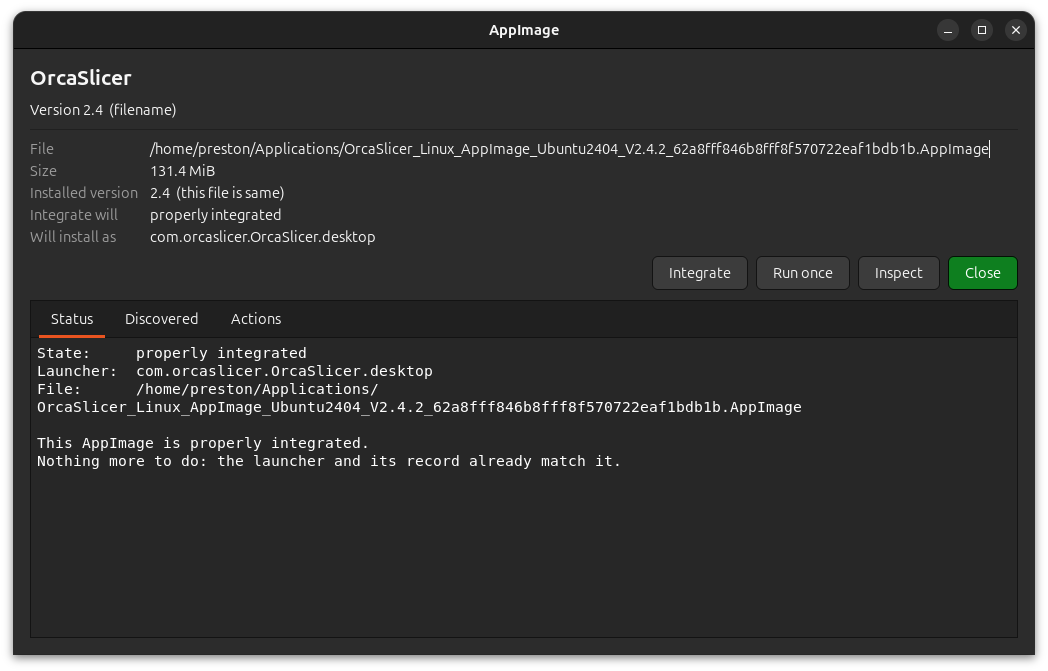
*.AppImageruns.- The handler - call it AppImage Activator - allows you to examine the AppImage.
- Click Integrate in the Activator, and:
- The AppImage file is moved to the proper directory (
$HOME/Applications/). - The AppImage application is added to the desktop (per XDG / Free Desktop specification).
- The AppImage file is moved to the proper directory (
That is it. Download, two clicks, and you are done.
There were a number of checks and edge cases to cover, but the basic idea is make installing an AppImage as simple as possible. Tried to cover all the usual cases.
- You can inspect the AppImage before (or after) integrating.
- You can repair an existing integration.
- You can uninstall an AppImage.
- You can integrate an AppImage with a different name than the original.
- You can install more than one version of an AppImage.
- You can replace all versions of an AppImage with a single version.
If you have any issues, please open an issue on the github repository. Feedback is welcome.
Included with the AppImage Activator is a full set of command line tools for AppImage / desktop integration. The GUI just uses the associated command line tools. Anything you can do from the GUI, you can do from the command line.
Resources
Note that I am much on the learning curve with use of AI (LLM) in development. For this small project, there is more than usual amount documentation. I keep a sort of project dashboard on labs.bannister.us (maintained through use of an LLM). LLM use meant only a few days from start to complete implementation.
Screenshots
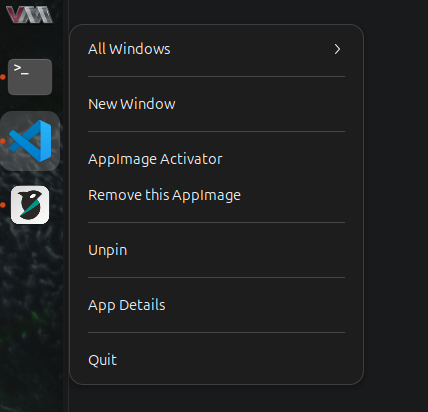
Right-click in the dock on an application icon offers useful actions.
Some applications (like FreeCAD) specify how to get updates in the AppImage.
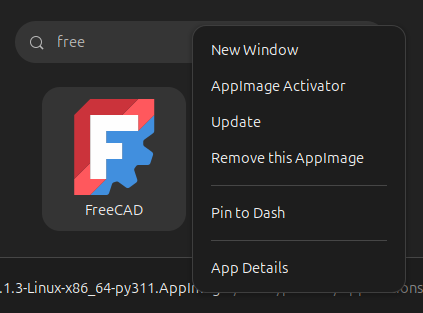
(Note that "App Details" is a Gnome default, and does nothing useful.)
The AppImage Activator window: